Getting started
TerosHDL attempts to recognize any state machines used in the Verilog/SV/VHDL code.
Included is a built in visualizer which allows you to view previously detected state machines.
Currently TerosHDL does not support all types of FSMs. Some not supported statements are:
casestatement inside anif-else.functions, procedures...inside FSM.
Usage
While having an HDL file open, you can click on the state machine viewer on the top right of the editor:

This will pop up a new window with all of the state machines found in this file:
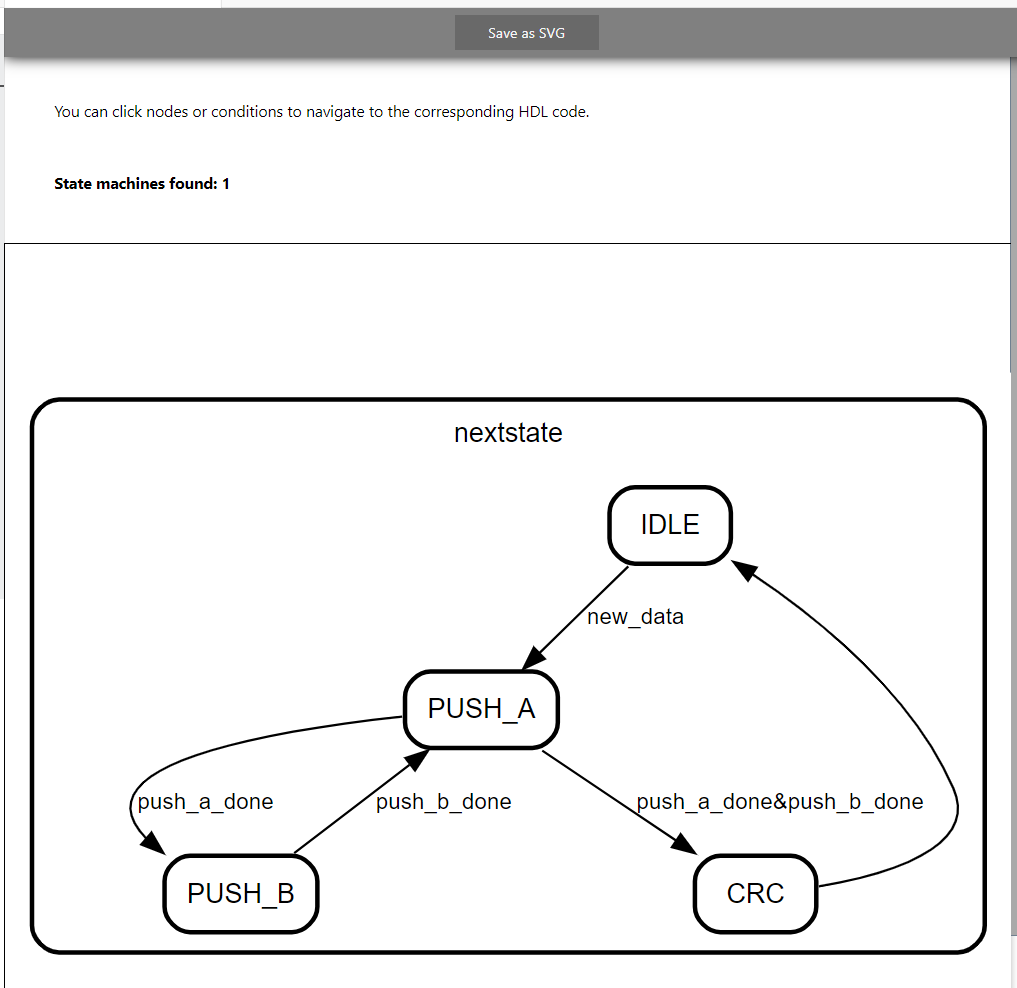
When you click on one of the state arrows, or the state themselves; TerosHDL will highlight the corresponding code area which causes this change.
Any State machines that we're detected will also be added to the documentation of the file
Missing states
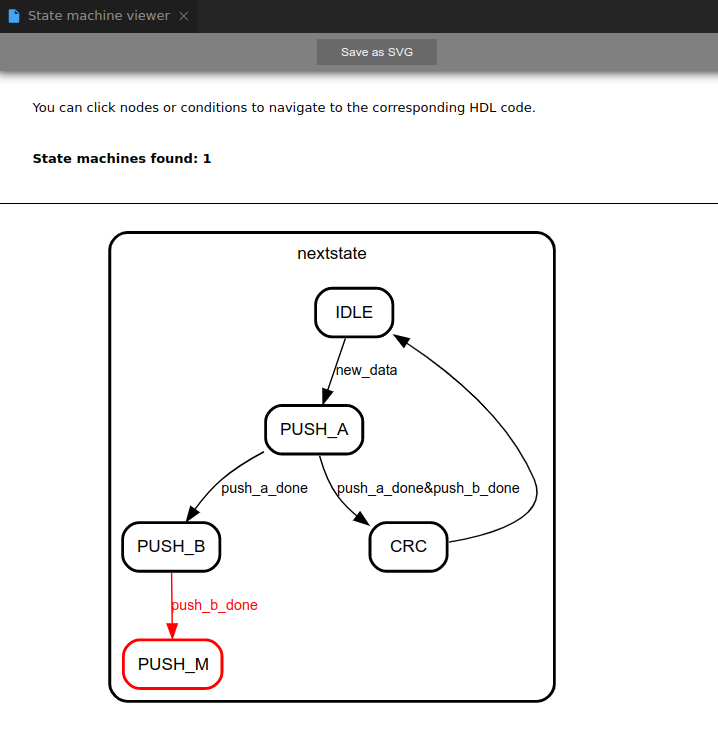
When there is a missing state in you FMS TerosHDL will alert you with. E.g:
module verilog_sm (
    input clk,
    input rstn
);

wire push_a_done;
wire push_b_done;
wire new_data;
wire crc_done;

typedef enum logic[1:0] {IDLE,PUSH_A,PUSH_B,CRC} state_t;
state_t state;
state_t nextstate;

always @(posedge clk or negedge rstn) begin
    if (~rstn) begin
        state <= IDLE;
    end
    else begin
        state <= nextstate;
    end
end

always_comb begin
    case (state)
        IDLE: if(new_data) nextstate = PUSH_A;
        PUSH_A: begin
            if(push_a_done) nextstate = PUSH_B;
            else if (push_a_done&push_b_done) nextstate = CRC;
        end
        PUSH_B: if(push_b_done) nextstate = PUSH_M;
        CRC: nextstate= IDLE;
        default: nextstate = state;
    endcase
end
endmodule